Open source · Self-hosted · v0.2.0

Know what happened while you were offline.

Meerkat keeps watch over your Docker homelab: websites, containers, network failover and host health. It tells you in plain words what is wrong, fixes what it safely can, and shows what happened while you were away.

Free under Apache-2.0 · No telemetry · Runs on a Raspberry Pi

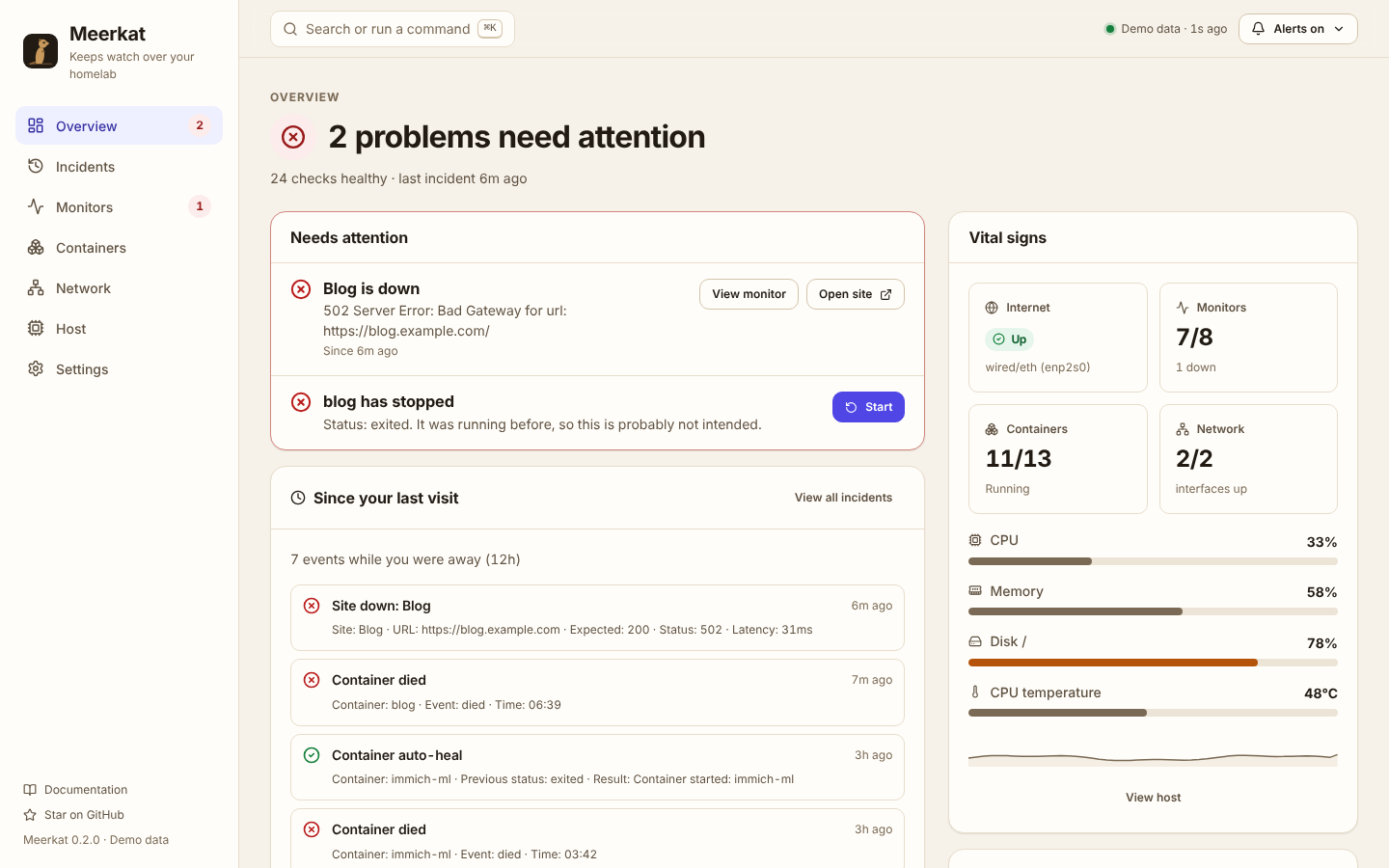
Meerkat Overview: “2 problems need attention”, with a down blog and a stopped container, each with a fix-it button, plus a summary of events since your last visit.
Built for the bad days

Other dashboards go blank when things break. Meerkat is built for exactly that moment.

Your ISP drops for two hours

Meerkat records when the internet went down and when it came back. Open the dashboard later and “Since your last visit” tells you the whole story.

Planned: alerts queue up during the outage and arrive as one digest when you are back online.

The power goes out overnight

When the host comes back, Meerkat announces it booted, restarts containers that crashed, and leaves the ones you stopped on purpose alone.

Planned: on boot it will say whether it was a power cut, a crash or a reboot, and for how long.

The server itself goes dark

Pair Meerkat with an external push monitor (for example Uptime Kuma or healthchecks.io) to be told when the whole host stops answering.

Planned: a built-in heartbeat and an off-site Meerkat Sentinel with the last known state of your lab.

Features

Calm for beginners. Fast for experts.

Everything a homelab needs to stay watched, in one small container.

Answers, not dashboards

Every page opens with a plain sentence: “2 problems need attention”, “7 of 8 sites up”. The numbers come after.

Since your last visit

Open Meerkat after a day away and see exactly what happened: outages, recoveries, crashed containers and automatic repairs.

Fix it from the alert

Problems come with the button that fixes them: start a crashed container, open the failing site, silence alerts for an hour.

Docker events and auto-heal

Get told when containers die. Meerkat restarts the ones that crashed, and leaves alone the ones you stopped on purpose.

Network failover awareness

Ethernet and Wi-Fi state, default-route changes and internet reachability, shown as a simple connection path.

Website and service checks

HTTP status, latency, redirects and keyword checks with heartbeat bars, uptime, average and p95 response time.

Host health

CPU, memory, disk and CPU temperature with thresholds, durations and cooldowns so you only hear about real problems.

Two-way Telegram

Quiet, state-change-only alerts, plus /status, /docker, /restart and /silence from your phone. Stale commands are ignored safely.

Built for your phone

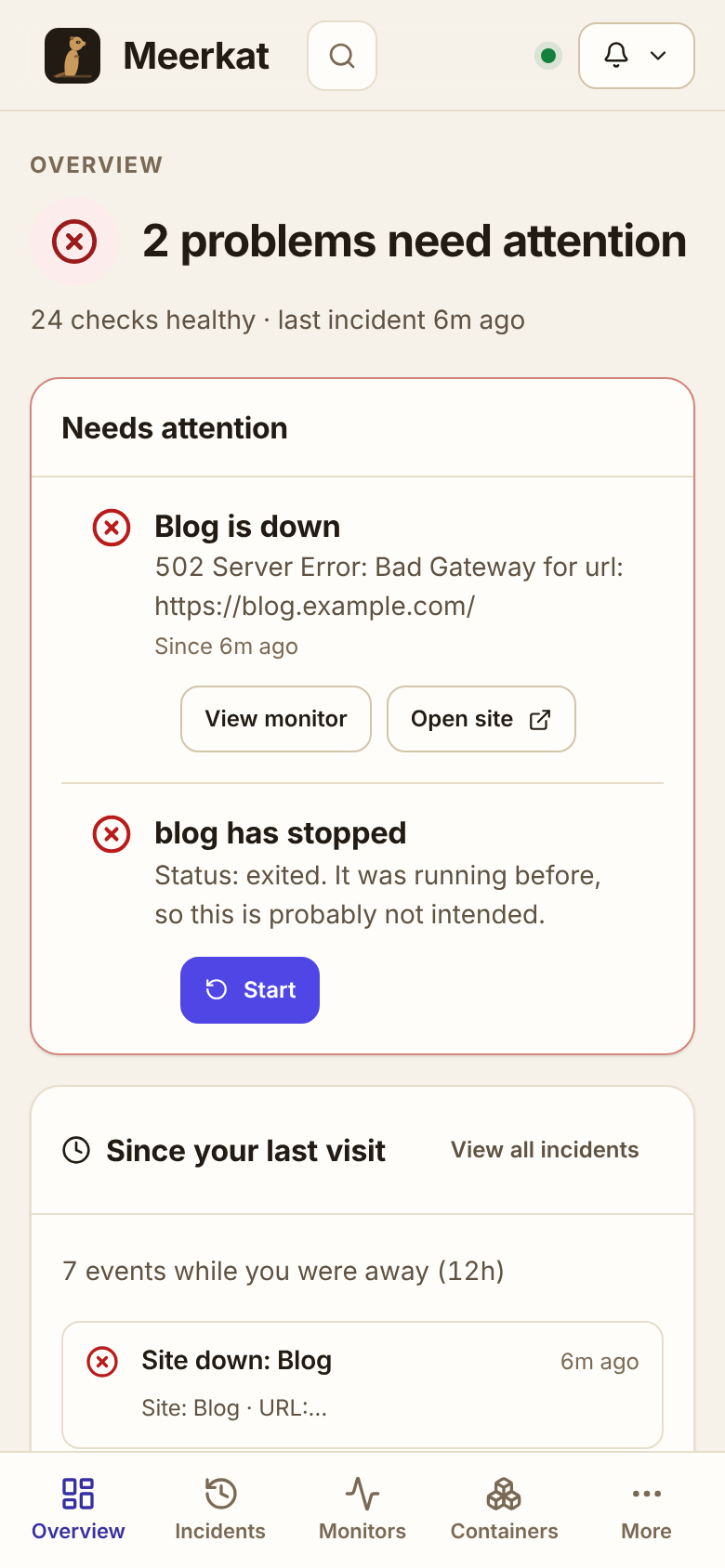
Bottom tabs, bottom sheets and 44px touch targets. Install it to your home screen and check your lab from anywhere.

On your phone

Check your lab from the train.

  • One sentence tells you if anything is wrong
  • Bottom tabs and sheets designed for thumbs
  • Start a crashed container with one tap, after a confirmation
  • Silence alerts for an hour while you work on something
  • Two-way Telegram commands when you don't want to open a browser
Meerkat on a phone: the Overview with problems and a bottom tab bar.
Quick start

Running in under a minute.

One container with host networking and read-only Docker socket access. Add Telegram later with two environment variables.

Read the full setup guide

mkdir -p meerkat/config meerkat/state && cd meerkat
curl -fsSL https://github.com/xrg360/meerkat/raw/master/config/config.yml -o config/config.yml
docker run -d --name meerkat --restart unless-stopped \
  --privileged --network host \
  -v /var/run/docker.sock:/var/run/docker.sock:ro \
  -v $(pwd)/config:/app/config -v $(pwd)/state:/app/state \
  ghcr.io/xrg360/meerkat:latest
FAQ

Questions

Is Meerkat free?

Yes. Meerkat is open source under the Apache-2.0 license, with no paid tier and no telemetry.

Does it run on a Raspberry Pi?

Yes. Images are published for amd64 and arm64, and Meerkat is designed to be light enough for a Pi or mini-PC.

How is Meerkat different from Uptime Kuma?

Uptime Kuma focuses on endpoint checks and status pages. Meerkat watches the homelab host itself (Docker, network, health), repairs what it safely can, and tells you what happened while you were away. Many people run both.

Do I need Telegram?

No. The dashboard works on its own with in-app and desktop notifications. Telegram adds alerts and commands on your phone.

Will auto-heal restart containers I stopped on purpose?

No. Meerkat tracks docker stop and compose stop and leaves those containers alone until you start them again.

Does the dashboard send data anywhere?

No. It only talks to your own Meerkat API. No fonts, CDNs, analytics or trackers.

Give your homelab a lookout.

Meerkat is built in the open. Star the repo to follow along, or pick a good first issue and add the monitor you wish existed.